GUIDESTEAM BUILDING
Company event invitation template: an all-day competition with real gun turrets
A company gun turret event invitation needs one confirmed arena window, the booking’s joining instructions, a named company contact and a short explanation of how to play. Start with the whole-company day, then add department reminders and a results message. The templates below keep those three jobs separate.
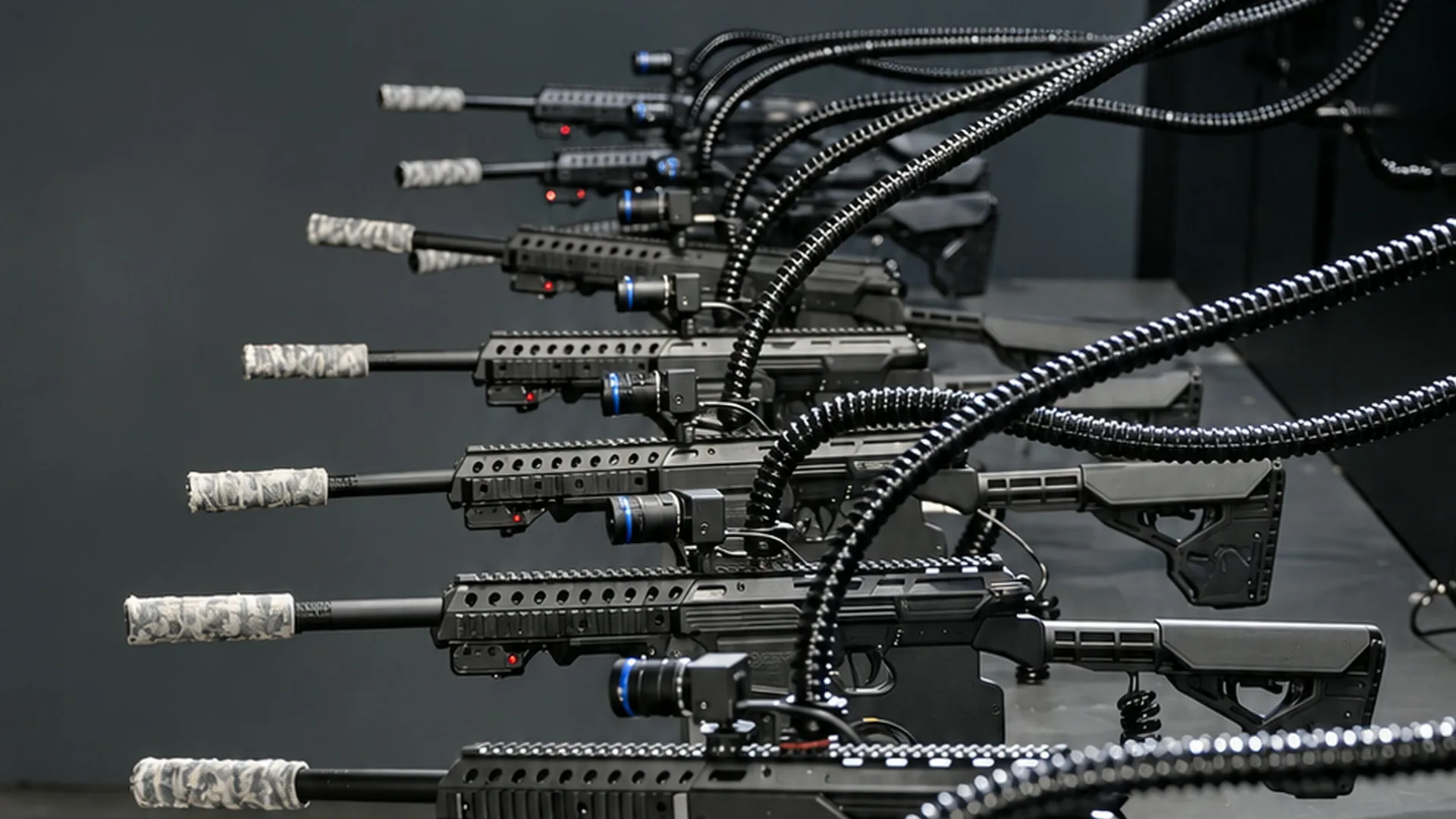
Shov lets colleagues control real gun turrets from a phone or laptop browser. The turrets fire less-lethal .68 caliber rounds at sensor targets. Matches last 90 seconds, with up to 12 players in each match and no gap between matches. Staff can drop in between work blocks and return for more rounds during the reserved window.
This kit is a company communications plan. The organizer writes the invitation, creates the calendar event and posts reminders in the company’s existing channels. The booking provides the private arena and its joining instructions.
Confirm these fields before sending the invitation
Use the information from your paid booking rather than announcing a tentative planner selection as reserved. On Shov for Groups, choose a duration package, enter expected headcount, and select an available date and start time. Complete verified-email checkout and payment to reserve the arena. Shov for Groups
| Field | What the company organizer supplies |
|---|---|
| Arena window | Confirmed date, start, end and the booking’s named time zone |
| Joining instructions | The entry instructions issued for this booking |
| Audience | Company or department names; expected headcount for planning |
| Company contact | A named person and the internal channel for event questions |
| Company program | Suggested department visits, any opening call and recognition |
| Results | The event result or company-owned scoring sheet you intend to share |
Do not put an organizer-management link in a staff invitation. Copy the participant joining instructions from the booking. If the company adds a video call, give it its own label so employees can distinguish the call from the arena entry link.
Copy the main invitation
Subject: [Company] arena day: real gun turrets, controlled from your browser
On [date], we’re opening a private Shov arena for [company] from [start] to [end], [named time zone]. Join from your phone or laptop to control a real gun turret, hit the arena’s sensor targets and compete with colleagues across the company.
The arena is open throughout our booked window. Drop in between work blocks, play a 90-second match, and come back for more rounds. Everyone uses their own browser controls, whether they are at home or together in an office.
Enter the arena: [participant joining instructions from our booking]
Company event contact: [name] in [internal channel]
We’re highlighting [department] at [suggested visit time] and [department] at [suggested visit time]. These are our suggested meet-ups; you can drop in any time during the booked window.
See the real player view before the day, and keep [internal event channel] open for our updates and results. real player view
Replace every bracketed field before circulating the message. Keep the booking’s confirmed dates and participant instructions together in the final copy.
Make the calendar entry match the invitation
Use the same title, date, start and end in the calendar as in the invitation. Set the event’s named time zone explicitly. Google Calendar’s time-zone guidance explains that invited guests see an event in their own local time zone. That is calendar behavior; it does not create a Shov booking or change its arena window. Google Calendar’s time-zone guidance
Put the arena entry instructions at the top of the calendar description, then the company contact and any separate video-call link. For a multinational company, ask each office lead to use the calendar’s local display when forwarding its reminder. A copied clock time without a date or zone loses the information needed to convert it.
Send a department reminder during the day
[Department], your suggested arena visit is [local date and time]. The company arena remains open until [confirmed end and named time zone]. Enter using [participant instructions]. Post your favorite play in [internal channel].
A reminder is a useful place for a department introduction or a short company update. Those conversations belong to your internal channel or call. Shov supplies the arena competition. After a match, a player returns to the lobby, sits out the next round and can queue again.
Choose the window behind the invitation
| Private arena window | Company total in USD | Matches during the window | A communications use |
|---|---|---|---|
| 1 hour | $2,000 | 40 | A shared one-hour social |
| 4 hours | $4,000 | 160 | Department introductions across a half day |
| 8 hours | $7,000 | 320 | A whole-company day with repeat visits |
These are fixed company package totals. Expected headcount does not change the package price. The 8-hour day contains 320 matches and 3,840 player slots, including repeat turns. That gives large and whole-company groups room for recurring visits across the workday. Slots count participation in matches, rather than distinct colleagues.
For the 8-hour option, announce the whole window once and use department reminders to bring different parts of the company into it. The reminders organize your communications; they do not partition the arena or guarantee simultaneous seats for a named group.
Copy the results message
Thanks for joining our gun turret arena day. Our event result is [link or result recorded by the organizer]. [Name or department] earned [recognition chosen by the company]. Share your favorite moment in [internal channel]. Our next step is [date or action the company has actually agreed].
If you ran a separate department scoring rule, label that result as the company’s own tally. Keep it distinct from the arena’s match and company standings. Record distinct participants and total match entries separately when you review the day; repeated visits are part of the experience.
Choose an arena window for your company, then use its confirmed joining details in your invitation. Choose an arena window for your company
FAQ
What belongs in a company gun turret event invitation?
Use the confirmed arena date, start and end with the booking’s time zone, participant joining instructions and a named company contact. Add any company call or department visit as a separately labelled organizer plan.
Can colleagues drop in throughout the company day?
Yes. Employees can join during the booked window, then return between work blocks. After a match, a player returns to the lobby, sits out the next round and can queue again.
How much does the private arena window cost?
1 hour: $2,000 for the company. 4 hours: $4,000 for the company. 8 hours: $7,000 for the company. Prices are in USD. Headcount is the expected audience and does not change the package total.