GUIDESTEAM BUILDING
Company event with gun turrets: a player briefing your host can read aloud
Your colleagues have the event invitation. Now give them a clear picture of their first turn. This host's briefing explains the real gun turrets, what to click and what the match result means. Read it at the start of a company social, or repeat it when another department joins an all-day event.
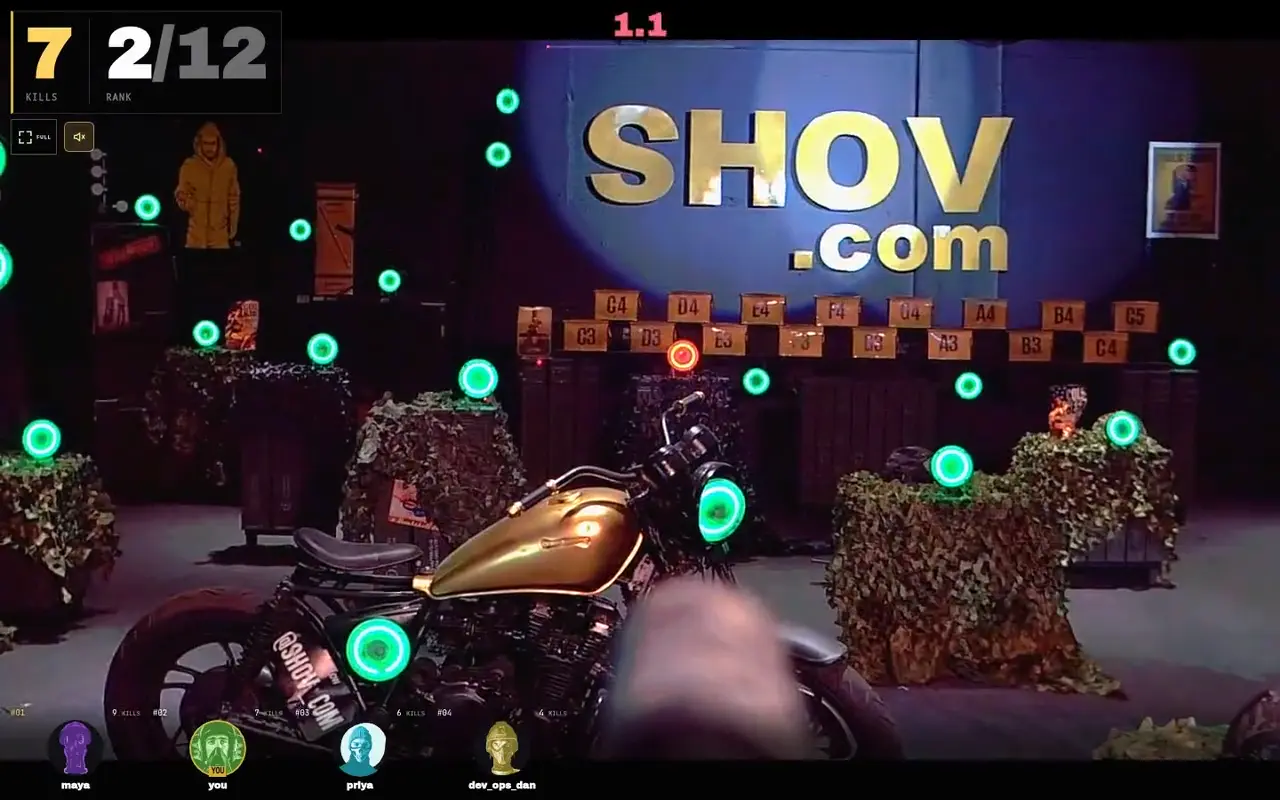
What players need to know
Each player opens the participant event link on their own phone or laptop browser. During their turn, they click or tap active green targets to aim and fire real gun turrets. A sensor-confirmed impact on an active target counts as a kill. Up to 12 players compete in each 90-second match.
Show the real game before reading the briefing
Shov's gun turrets fire less-lethal .68 caliber rounds at sensor-equipped targets. The moving hardware and target impacts are real. Give colleagues the participant event link from your confirmed booking; keep the organiser's booking-management link for the organiser.
Read this at the start of your company event
We are playing together on real gun turrets through our own browsers. Open the participant event link in your invitation. Each player uses their own phone or laptop, including everyone joining from an office meeting room. When your turn starts, click or tap active green targets. The gun turret turns and fires, and a sensor-confirmed impact on an active green target counts as a kill. Each match lasts 90 seconds with up to 12 players. Follow the match clock and your confirmed kills. After your match, follow the lobby's join controls for another turn during our booked window. Our company conversation is in [call or channel], and today's host is [name].
Replace the two bracketed fields with your company's details. Read the briefing before players start a round, so their match time belongs to the game. A colleague arriving later can use the same message in your event chat.
Use three checks before the first turn
| Check | What your host says |
|---|---|
| The right link | Open the participant event link in our confirmed invitation. Our company call is the place for conversation. |
| One controller per player | Use your own phone or laptop browser. A shared meeting-room screen can show the event while colleagues play on their own devices. |
| The match is active | Use the controls shown in your player view when your turn begins. Follow the match clock and target lights. |
Explain shots and confirmed kills separately
Clicking or tapping a target sends an aim-and-fire action. A shot and a confirmed kill are different observations: the kill requires a sensor-confirmed impact on an active green target. Use the confirmed result in the match interface when talking about a round. A host's comment on the company call does not change the game's result.
Keep the briefing available across a whole-company day
For a four- or eight-hour company event, pin the participant link, this briefing, the confirmed start and end, and the named time zone in your company channel. Departments can gather between work blocks, compete and come back for more rounds. Back-to-back 90-second matches across 12 turrets provide 480 player slots an hour, including repeat turns. That is arena capacity, not a count of distinct attendees or a fixed number of turns for each person.
Your company chooses the host and department gathering times. Keep the booking window in the message when handing the host role to another colleague. An invitation can welcome the whole company while each department uses its own work schedule.
Choose the private window around your programme
| Private duration | Public package total, USD | Arena matches |
|---|---|---|
| 1 hour | $2,000 | 40 |
| 4 hours | $4,000 | 160 |
| 8 hours | $7,000 | 320 |
Check available dates and starts in the booking calendar, then complete verified-email checkout and payment. Use the resulting participant event link with the confirmed time in your invitation. The player briefing explains play; your booking confirmation supplies the event window.
FAQ
Can everyone in one meeting room play from the shared screen?
Each player controls a gun turret from their own phone or laptop browser. Your company may use a shared screen or call alongside those individual controls.
Does every shot count as a kill?
A kill requires a sensor-confirmed impact on an active green target. Follow the confirmed kills and match result in the player interface.
Is a 90-second match the whole company event?
It is one round within your selected private booking window. The arena runs matches back to back, and colleagues can return for additional turns during that window.
Do we need Shov to supply our company host?
This read-aloud briefing is a template for your own host. Name the colleague and company conversation channel in the message; Shov supplies the gun turret game.