GUIDESTEAM BUILDING
Company events with gun turrets: a time-zone check before you send the invite
A company event can cross several offices and two different clock-change weekends. Give everyone the same dated appointment before they take control of real gun turrets. This organiser's check turns a confirmed arena booking into a clear invitation, including a worked example for the UK–US clock-change gap in autumn 2026.
How to schedule the same event across offices
Choose an available private arena window, confirm its date and named time zone, then convert that exact dated start and end for each office. Put the confirmed appointment and participant event link in one invitation. Check each date separately around clock changes: London and US offices change their clocks on different weekends in autumn 2026.
Give the invitation one confirmed appointment
- List the offices and their named time zones, such as Europe/London and America/New_York. Include the date in every conversion.
- Choose the private duration and an available start on the booking calendar. Complete verified-email checkout and payment, then use the confirmed booking details for the invitation.
- Convert both the confirmed start and end for each office. A date change belongs in the message when an office is already on the next calendar day.
- Share the participant event link with colleagues. Keep the organiser's booking-management link with the organiser. Name your company call or channel separately.
For a repeat event, calculate the next date again. A colleague's local time can change even when the UTC time stays fixed. The examples below explain that difference; the booking calendar determines which starts are actually available.
A worked UK–US example for autumn 2026
The UK moves its clocks back on 25 October 2026. UK government: clock-change dates
In US locations that observe daylight saving time, the 2026 change back to standard time is on 1 November. New York and Los Angeles therefore change a week after London. NIST: daylight saving time rules
| Example start, UTC | London | New York | Los Angeles |
|---|---|---|---|
| 26 October 2026 · 17:00 UTC | 26 October · 17:00 GMT | 26 October · 13:00 EDT | 26 October · 10:00 PDT |
| 2 November 2026 · 17:00 UTC | 2 November · 17:00 GMT | 2 November · 12:00 EST | 2 November · 09:00 PST |
The UTC appointment and London time stay the same in these examples; the two US office times move an hour earlier. If your next event should stay at 13:00 in New York, calculate that date's UTC time before choosing an available booking. Do not reuse the previous week's office-time row.
Copy this into your company invitation
We have booked real gun turrets for our company event on [date]. Our confirmed arena window is [start–end, named time zone]. Office times: [office, date, local start–end, zone]; [office, date, local start–end, zone]. Open [participant event link] on your own phone or laptop browser. Our company conversation is in [call or channel], and [name] is hosting. Join during the booked window for repeated rounds. If you are coming from an office room, each person still joins on their own phone or laptop.
Replace every bracketed field from the confirmed booking and your company's plan. Recheck the start, end and date for each office before sending. If the booking changes, update the existing company invitation with the new confirmed appointment.
What everyone is joining
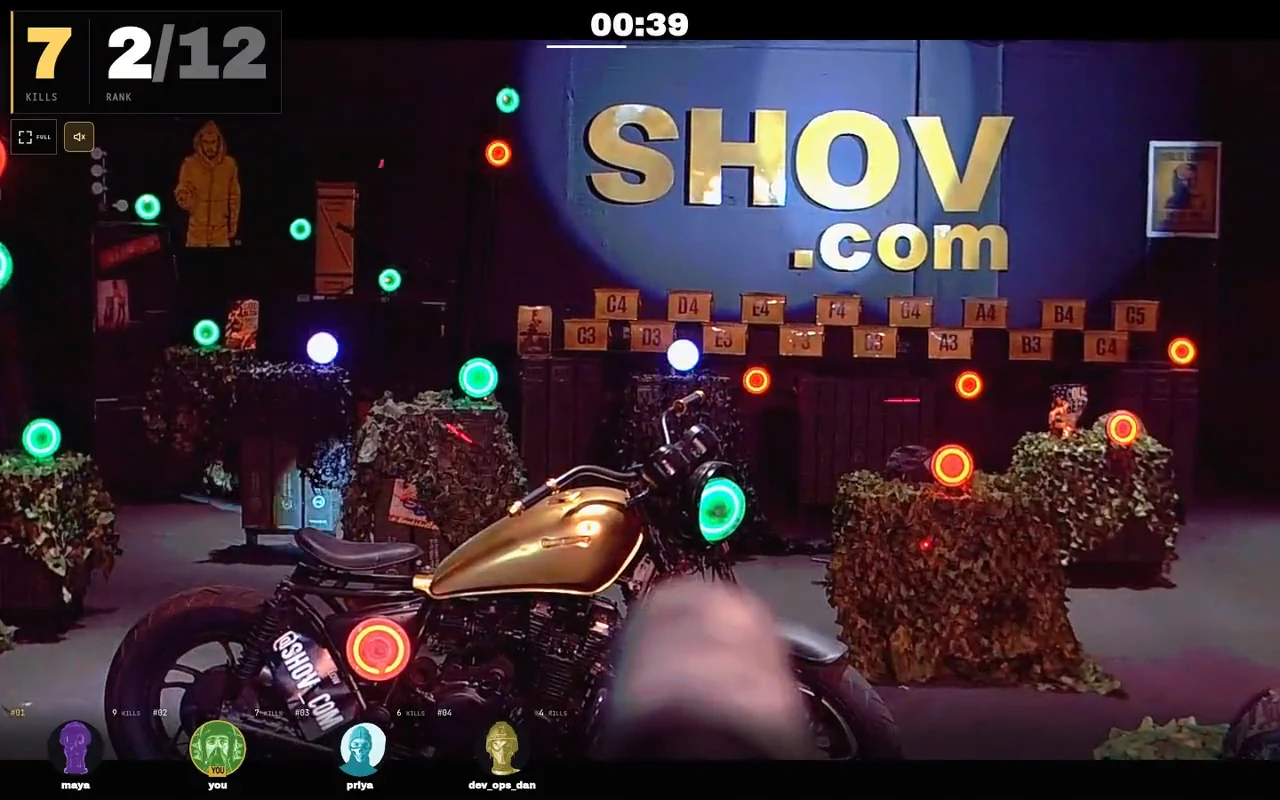
Players click or tap active green targets to aim and fire real gun turrets. The turrets fire less-lethal .68 caliber rounds, and a sensor-confirmed impact on an active target counts as a kill. Up to 12 players compete in each 90-second match from their own browsers.
Back-to-back matches provide 480 player slots an hour, including repeat turns. A four- or eight-hour booking lets the whole company gather across the workday: colleagues can play between work blocks and return for more rounds. Your organiser chooses office gathering times inside the confirmed window; the game supplies the match clock and confirmed results.
Choose the duration for the whole programme
| Private window | Public package total, USD | Arena matches |
|---|---|---|
| 1 hour | $2,000 | 40 |
| 4 hours | $4,000 | 160 |
| 8 hours | $7,000 | 320 |
Use the booking calendar's available starts for the date you want. The private window belongs to your group; the office-time checklist and invitation are your organiser's plan.
FAQ
Should we put only a time-zone abbreviation in the invitation?
Use the full date and named time zone alongside each office's local start and end. A city-based zone such as America/New_York identifies which clock-change rules the conversion uses.
Does a 17:00 UTC event always mean 13:00 in New York?
No. In the worked 2026 examples it means 13:00 on 26 October and 12:00 on 2 November. Convert the actual event date instead of carrying forward the previous offset.
Are the worked example starts available to book?
The table demonstrates time conversions. Check the live booking calendar and use the start and end from your confirmed booking in the invitation.
Can colleagues join throughout a company arena day?
Yes. Your company can gather in departments across a four- or eight-hour private window, with colleagues playing between work blocks. Put the confirmed window and participant link in the company channel so each gathering uses the same booking.