GUIDESTEAM BUILDING
A company-wide remote event with real gun turrets: plan an arena day
Book a real gun turret range for the company and let colleagues join between work blocks. One arena stays live across the day; staff in different offices and at home compete in the same physical place from their own browsers. Here is how to build that day around your people, your time zones and the number of turns you want.
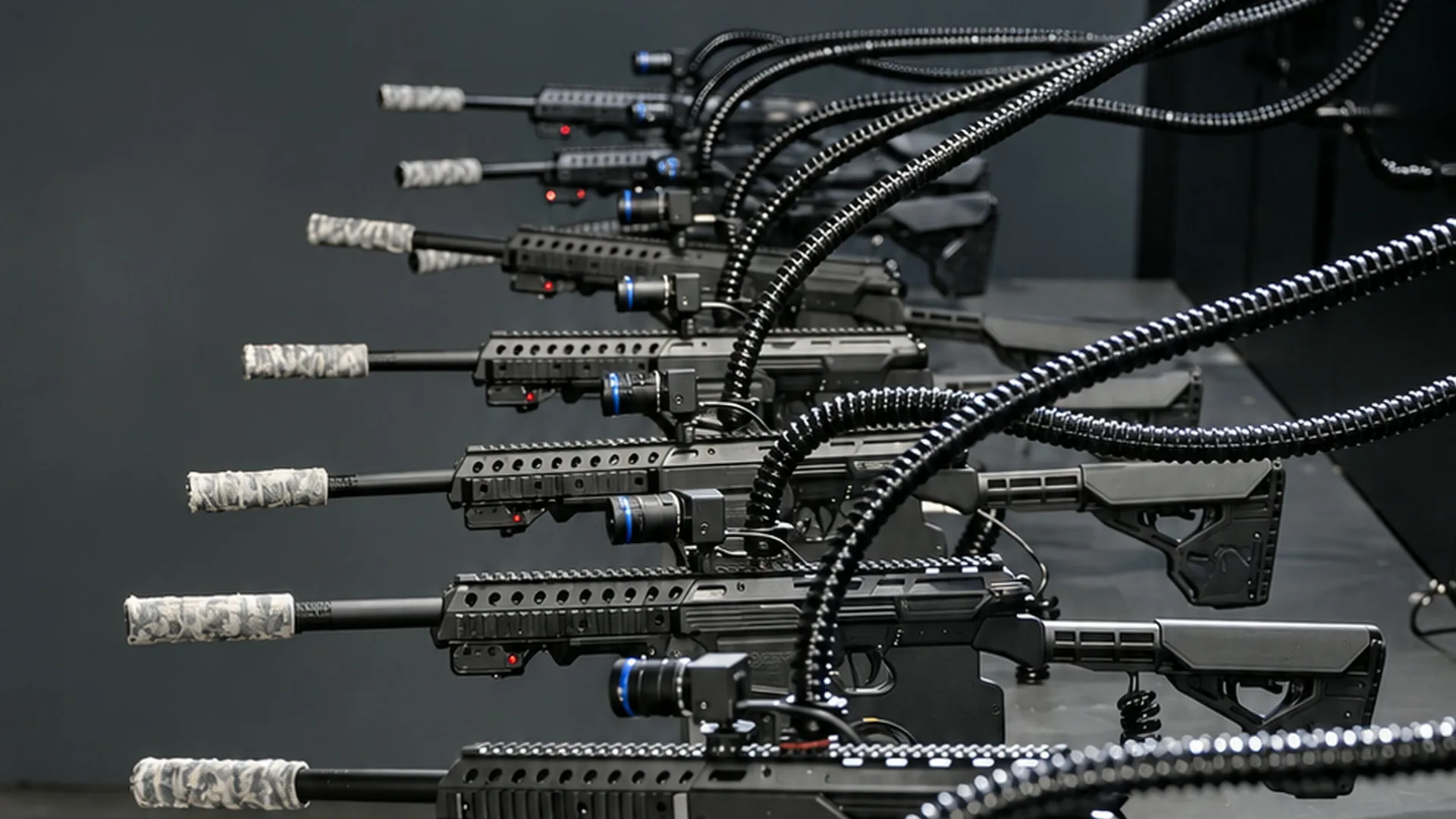
The company-day format
A Shov arena day reserves a real gun turret range for your company. Employees drop in from phone or laptop browsers for private 90-second matches, with up to 12 players in each. Back-to-back rounds provide 480 player slots an hour. Choose a half-day or full-day booking and share the event link across the company.
- real gun turrets in the private arena
- 12
- per round, with no gap between rounds
- 90 s
- player slots per hour
- 480
- arena availability, with booking times shown in your time zone
- 24/7
Give the whole company a place to compete
A company event can have a shared destination without putting every employee in the same meeting at the same time. Reserve the arena across the working day, put its invitation in your company chat and let departments make their own visits. A product team might play after its planning session; the finance team might join after lunch. Coworkers can return for more rounds during the booking.
This is a suggested event plan, not a requirement built into the product. The booking supplies the private arena, the live AI announcer, a company leaderboard and replays. Your organiser chooses when to invite departments and where to share the results. Large and whole-company groups are an especially strong fit for a range with 40 new matches starting every hour.
What people actually control
Each player controls a full-auto pneumatic gun turret at a US shooting range. The gun turrets fire less-lethal .68 caliber rounds at sensor targets. A player clicks or taps a green target; the turret turns there and fires. A kill is a confirmed projectile impact on an active green target. The most confirmed kills wins the 90-second round.
In an office, each colleague joins on their own phone or laptop. People at home use the same controls and compete in the same arena. Chrome, Safari, Edge and Firefox are supported; players need a stable internet connection. There is nothing to install and no equipment to ship.
Choose the event window, then plan your turns
A player slot means one person on one turret for one round. It is a useful planning unit: 480 slots per hour can serve different people or returning players. It is not a count of unique employees. After playing, a person returns to the lobby and sits out the next match before playing again. The matches themselves continue back to back.
| Private booking | Fixed total, USD | Arena rounds | Player slots |
|---|---|---|---|
| 5 hours | $8,000 | 200 | 2,400 |
| 10 hours | $14,000 | 400 | 4,800 |
| Employees joining | 5-hour day: slots per employee | 10-hour day: slots per employee |
|---|---|---|
| 200 | 12 | 24 |
| 400 | 6 | 12 |
| 800 | 3 | 6 |
For a single company-wide block, the per-head quote is another option. At 200 people, it shows $5,000 for 100 rounds over 150 minutes, with about 6 rounds per person under the quote's rotation model. The session minimum is $500; additional rounds cost $50 each. Compare that block with a day booking in the live planner.
An organiser's plan for an arena day
- Choose the booking window around the office hours you want to cover. The arena runs 24/7, so London or Sydney working hours are bookable too. Sessions start on a half hour; the planner shows the time in your own zone.
- Share one event invitation with the company and include the start and end time with a named time zone. People with the invite link can join during the booked window. The event also supports verified email access for allowed company domains.
- Suggest visits around existing breaks: after the morning all-hands, between offsite workshops or during the afternoon social. These are your calendar suggestions; employees join the live event when their visit fits.
- Ask each person to open the event on their own device. If your office wants a communal view, use it alongside the individual player browsers so each colleague keeps control of their own turret.
- Give the company a place to talk about the rounds: an existing Slack or Teams channel works for sharing scores and replay links. This chat is your own event layer, while Shov runs the range and its leaderboard.
- Close the event with the shared results. Players receive a highlight reel by email after each match; the organiser receives a recap video, event page and leaderboard image after the session.
Use the same arena across an offsite or holiday party
At a virtual offsite, the arena can run alongside workshops: colleagues meet in the range between sessions, then return to the programme. For a UK Christmas party or an Australian end-of-year celebration, keep the invitation open through the booked window and let local offices pick their social time. A 10-hour window can bridge several offices' working hours; the organiser still chooses which local hours it covers.
For a company with 200 people online, you can introduce the event at the all-hands, share the invitation and keep the arena open afterwards. The point of the day booking is that the competition carries on as colleagues arrive. Your all-hands and department meetings remain your own programme, with the range as the shared activity across it.
Evidence you can share internally
The footage above shows the actual browser experience. A read-only count on 1 October 2026 recorded 116,479 completed arena rounds since 13 May 2026. Those are arena rounds, predominantly public matches; the count describes the range's operating history. Shov for Groups opened on 30 September 2026.
FAQ
Can employees drop in during the booked day?
Yes. People with the event invitation, or a verified email on an allowed company domain, can join between the booking's start and end. You can suggest department visits without making everyone arrive together.
How many employees play at once?
Up to 12 people play each 90-second match. With no gap between matches, the arena provides 480 player slots an hour. Slots include repeat turns, so they are not a count of distinct people.
What does an all-day private arena cost?
5 hours costs $8,000 for the company and contains 200 matches. 10 hours costs $14,000 for the company and contains 400 matches. Prices are in USD; the planner shows current availability and the total before payment.
Do office and remote employees play together?
Yes. Everyone uses their own supported browser and a stable connection to control a gun turret in the same live arena, whether they join from an office or from home.
Is a video meeting required to play?
The game runs in each player's browser. You can keep a company call or chat open for conversation alongside it; your organiser chooses that part of the event.